
Gravity Gun Upgrade Costs in Totally Safe Moon Project
Gravity Gun upgrade costs in Totally Safe Moon Project: 100 P, 150 P and 200 P per level, how points work, and what the Upgrades screen shows.
FAQ
How much does a Gravity Gun upgrade cost?
How do you earn points (P)?
What does a higher Gravity Gun level do?
How many tool slots are there?
The Gravity Gun is how you pick up fences, vehicles, houses and clouds and turn them into tower pieces. Steam says climbing earns “new abilities, items, or points used to upgrade your gear”, and the gun is the first thing most players spend those points on. This page collects the costs and what the Upgrades screen shows. For the full climb, see the walkthrough; for placing pieces, see tower building tips.
How much do Gravity Gun upgrades cost?
| Upgrade | Cost | Source |
|---|---|---|
| LVL 0 to LVL 1 | 100 P | allthings.how gameplay explainer |
| LVL 1 to LVL 2 | 150 P | 9Puz walkthrough (four-player recording by RoboDessert) |
| LVL 2 to LVL 3 | 200 P | Official Steam screenshot and the 9Puz walkthrough |
The three prices step up by 50 P each time, and the one we can see on screen (200 P) matches the written guide. Costs for LVL 3 and above are not published, so we leave them out.
How do you earn points?
Reaching a height goal pays out a reward, and Steam lists points among those rewards. Our screenshots show a Goal Reached banner with a cash reward and a New Item notice, and a Balance counter in P in the corner of the HUD. How many points each goal pays is not documented, so watch the counter as you climb instead of planning around a number.
When a green “You can Upgrade!” notice appears, the 9Puz walkthrough advises returning to the Upgrades menu. It also warns that the buy button looks green even when you cannot afford it: in the screenshot below the balance is 50 P and the button asks for 200 P.
What does the Upgrades screen show?
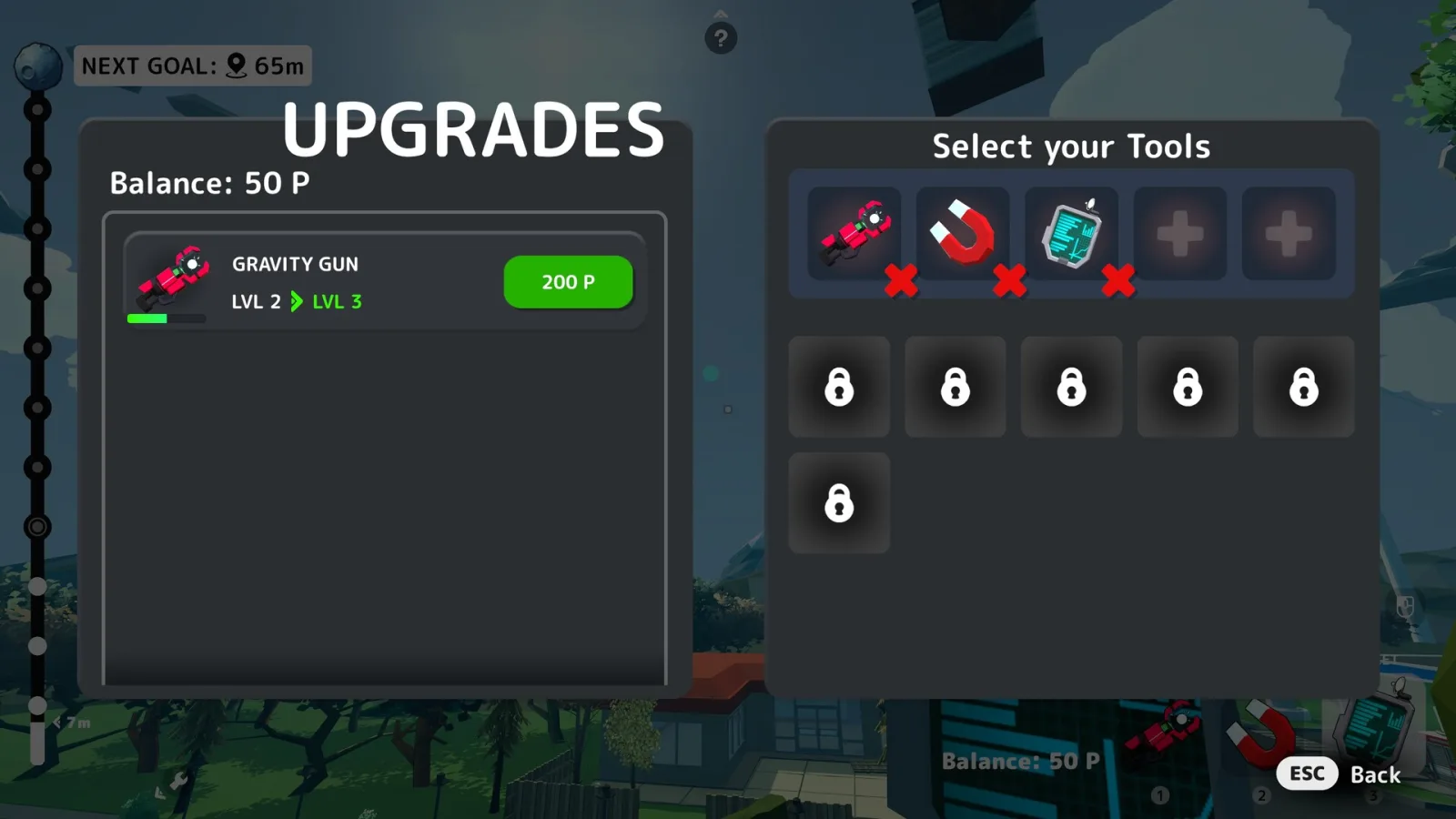
Image: Steam store screenshot, Fake Moon / rokaplay select.
The left panel lists GRAVITY GUN with its current and next level and a green price button. The right panel, Select your Tools, holds:
- three equipped tools: the red Gravity Gun, a Magnet, and the Tablet, each with a red remove mark;
- two empty slots marked with a plus sign;
- six padlocked slots.
How the locked slots open is not confirmed. One gameplay explainer (allthings.how) also mentions an “Unlock Random” option on the terminal, which we have not seen ourselves.
Where do you open the Upgrades menu?
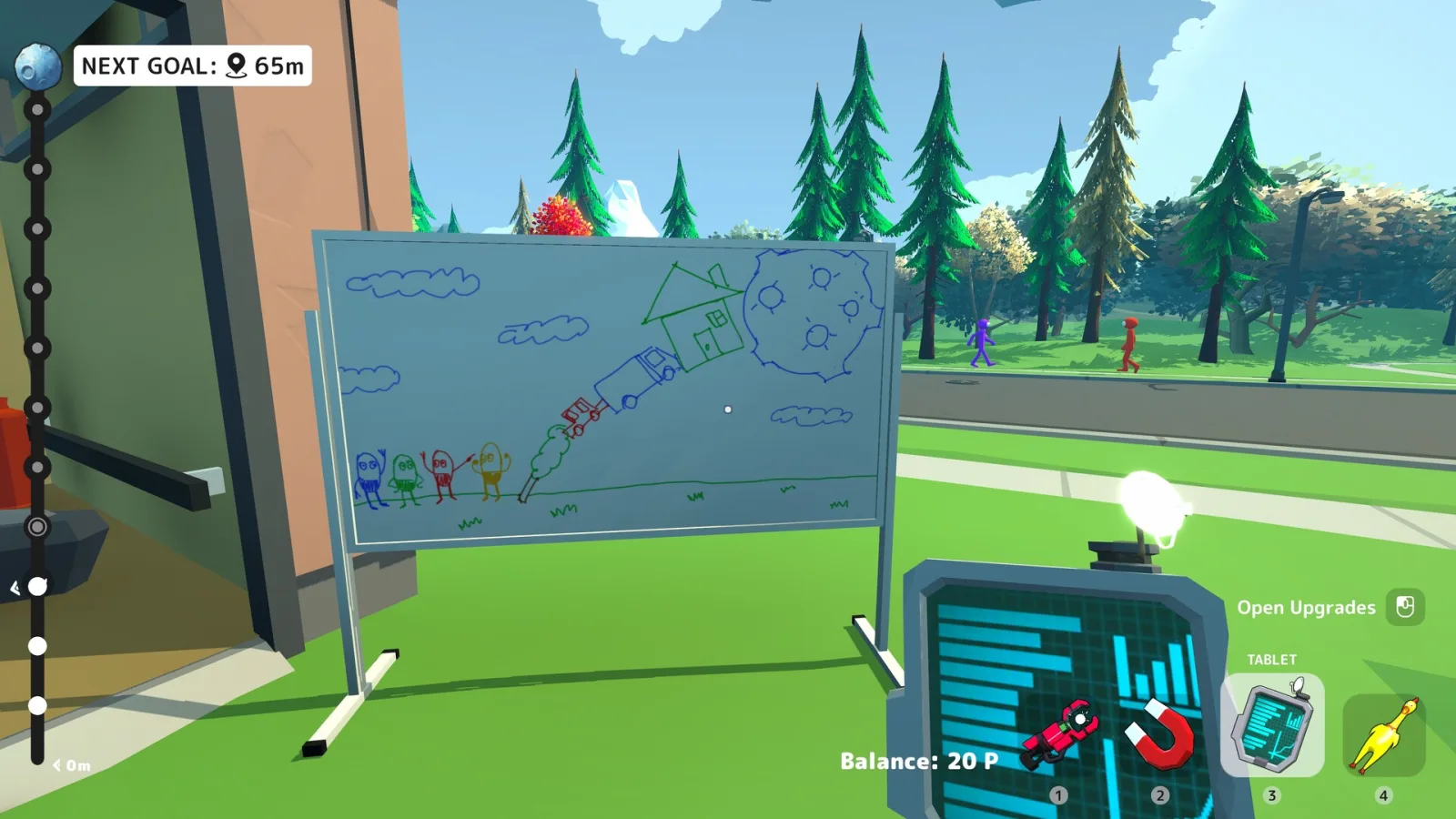
Image: Steam store screenshot, Fake Moon / rokaplay select.
In this official screenshot the Tablet is selected and the HUD shows an Open Upgrades prompt beside the Balance counter. The 9Puz walkthrough describes an Upgrades computer next to the garage door and says the same terminal is available outside once the neighborhood opens.
The hotbar labels the red lift tool Wrench; the Upgrades menu calls that same tool GRAVITY GUN.

Image: Steam store screenshot, Fake Moon / rokaplay select.
What is still unknown?
- The cost of LVL 3 and later, and whether there is a maximum level.
- How points are split in co-op. See multiplayer and co-op for what we have confirmed about sessions.
- Which achievement objects need which level. The all achievements list names the heavy ones (clouds, the windmill, the Blessed Statue) and objects and secrets tracks them.
Price, specs and other quick answers are in the FAQ.
Related Articles
achievements
Totally Safe Moon Project Achievements: All 44 and How to Unlock
All 44 Totally Safe Moon Project Steam achievements with unlock conditions, global unlock rates, hidden flags, and the rarest trophies as of 2026-11-01.
guides
Totally Safe Moon Project Tower Building Tips
Totally Safe Moon Project tower building tips: wide landings, Gravity Gun controls, height goals, and how a co-op team can split the work.
guides
Totally Safe Moon Project Walkthrough — Tower to the Moon
Step-by-step Totally Safe Moon Project walkthrough: leave the garage, hit height goals, upgrade tools, haul the laser, and destroy the asteroid.
Was this helpful?
Thanks for the feedback!